Size guide
Choose the size for your idea.
Understand the trade-offs between small, medium and large brick designs, including detail, piece counts and instructions.
One idea in up to three sizes.
Choose any combination of Small, Medium and Large. They are versions of the same request, not separate creative prompts.
Small keeps the form simple.
A compact design emphasizes the main silhouette and colors. Fine features may merge or disappear. Start by checking whether the features you care about remain recognizable.
Medium balances scale and detail.
Medium offers more room for detail than Small. The little duck homepage example is a medium design with 274 pieces and 70 steps. This count is specific to that example, not a fixed count for all medium models.
Large gives detail more room.
Large can preserve more detail, but may have more pieces, longer instructions and more complex areas to review. Exact dimensions and counts vary by object. A larger result does not automatically pass pressure or assembly checks.
Compare before committing to a physical build.
Use each result’s dimensions, preview, steps and checks. Read the current credit quote before creating; combination pricing is shown in the product. Adjust design can add another size to a saved project.
Compare features, then compare counts.
Use one feature you care about as your reference: an ear, a handle, a lens or a curved edge. Inspect that feature from the same angle in each available size. Then compare the actual dimensions, pieces, steps and separate check results.
The image below is the existing medium Little duck example only. It illustrates what to inspect, not a small-to-large comparison. The recent case studies report their featured size; use the live model selector for other available layouts.
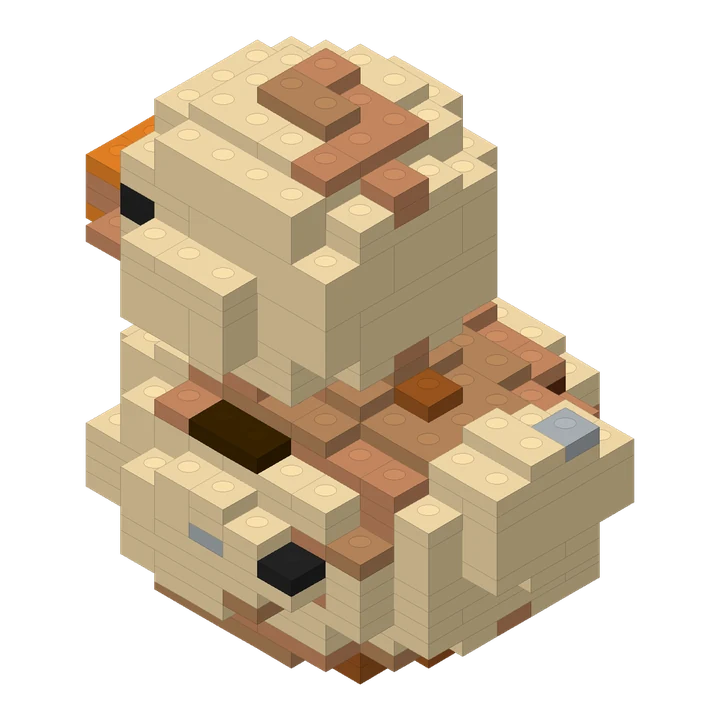
One medium layout; counts and recognizability are specific to this example.
| Question | What to inspect |
|---|---|
| Is the defining detail still readable? | Compare the same feature and viewing angle. |
| Does the footprint fit my intention? | Read actual width, depth and height for each size. |
| What does the sequence involve? | Read pieces and steps, then inspect delicate or separate areas. |
| What remains uncertain? | Read geometry, connectivity, pressure and assembly separately. |
Questions before you create.
Does Small always mean a beginner build?
No. Size alone does not determine difficulty. Examine the actual pieces, steps and shape; a small model can still contain delicate or complex areas.
Does Large guarantee a more accurate result?
No. A larger size gives details more room, but it cannot guarantee that every feature in the input will appear exactly as intended.
Reviewed by the Lingo Brick team · Updated